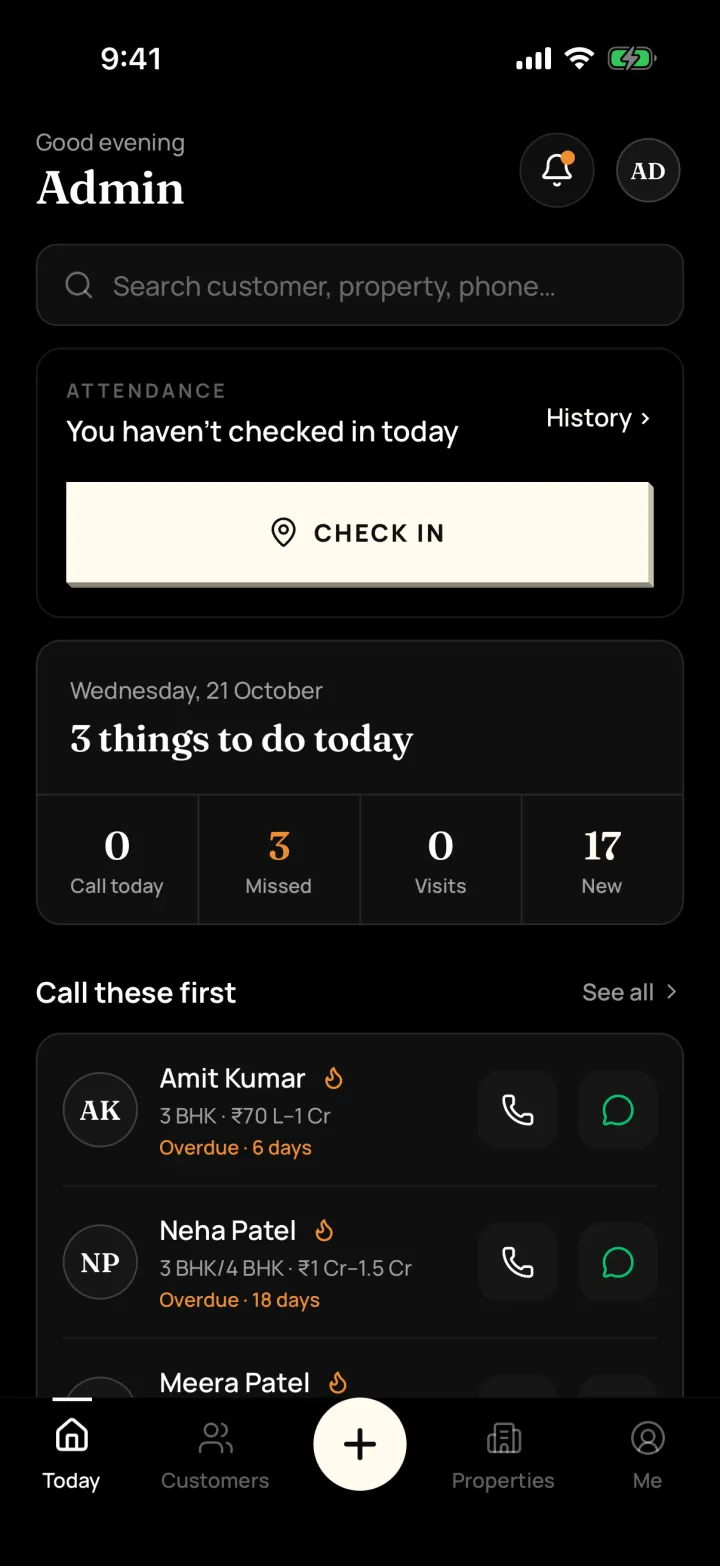
Today screen

    What does the app show when I open it?

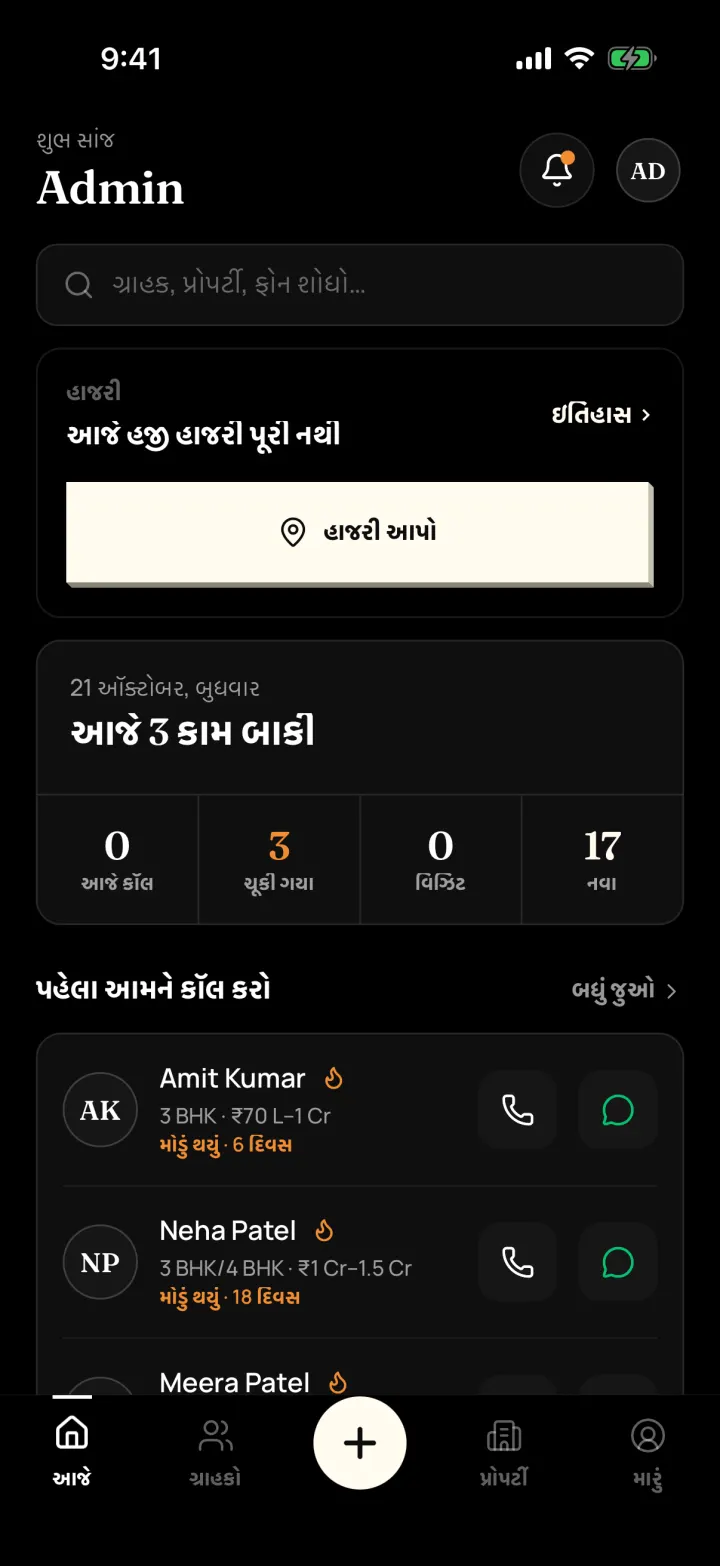
    A short list of what to do today: who to call, missed call-backs, today's site visits and new customers. Tap any number to see the names.

    Why it matters: You start the day not sure who to call first, and some call-backs get forgotten.

    How it works

    • "Things to do today" with Call today, Missed, Visits and New
    • "Call these first": your hot customers with one-tap Call and WhatsApp
    • Search any customer, property or phone number from the top
    • Owners and managers also see team numbers for the week and month
    Step-by-step guide and FAQs
    DreamToBuy Today screen in the app's dark design: attendance check-in, things to do today (call today, missed, visits, new) and hot customers to call first
    Today screen

    Customers: buyers and owners

    How do I keep track of buyers and owners?

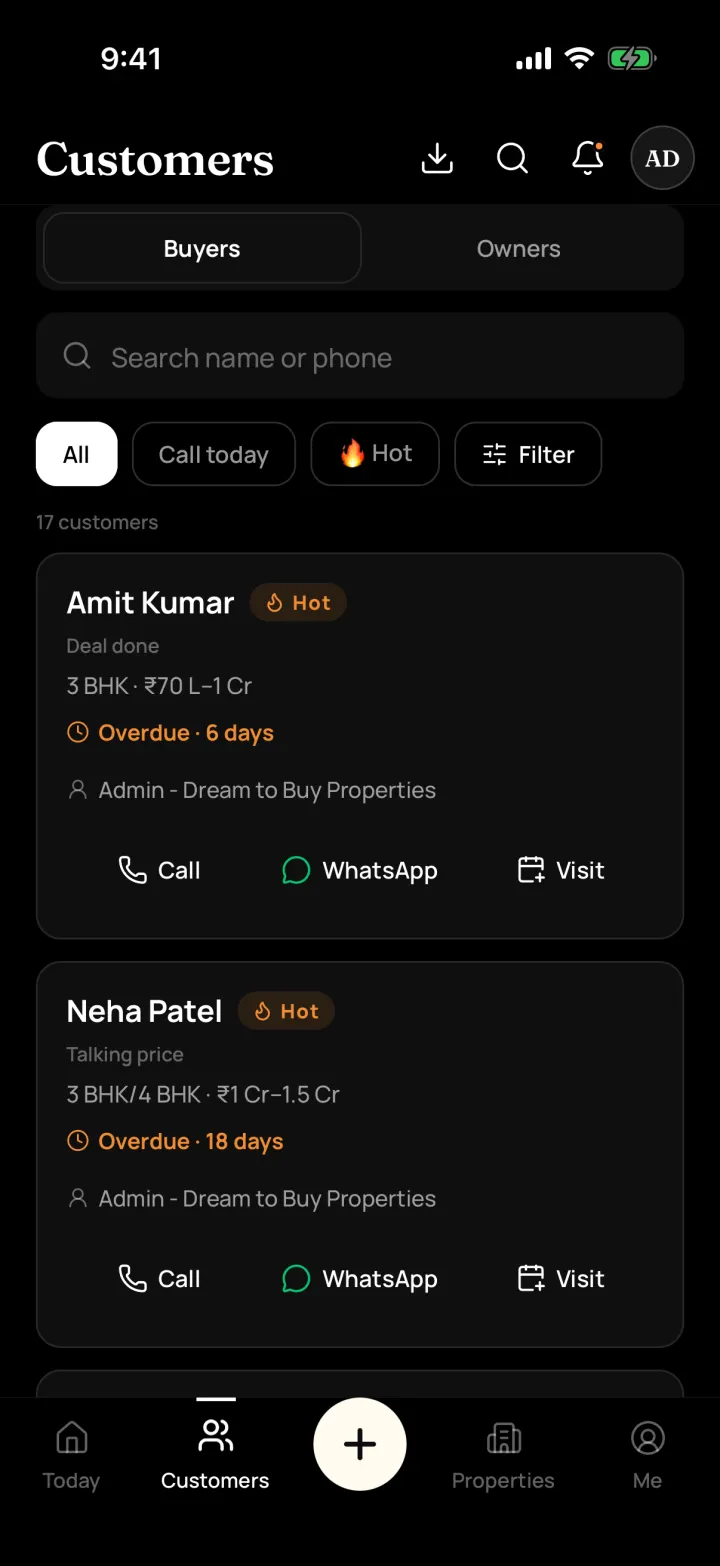
    Save every buyer and property owner with what they want, their budget and where they came from. Mark each one Hot, Warm or Cold so you know who is serious.

    Why it matters: Numbers and requirements are spread across a diary, Excel and WhatsApp chats.

    How it works

    • Buyers and Owners in two simple lists; one person can be both
    • Hot / Warm / Cold, and steps like Talked, Site visit, Talking price and Deal done
    • Note where they came from: walk-in, referral, 99acres, MagicBricks, Facebook and more
    • The app warns you if the phone number is already saved
    Step-by-step guide and FAQs
    Customers list in DreamToBuy with Buyers and Owners tabs, Hot tags, overdue call-backs and Call, WhatsApp and Visit buttons on each customer
    Customers list

    Call and WhatsApp in one tap

    Can I call or WhatsApp a customer from the app?

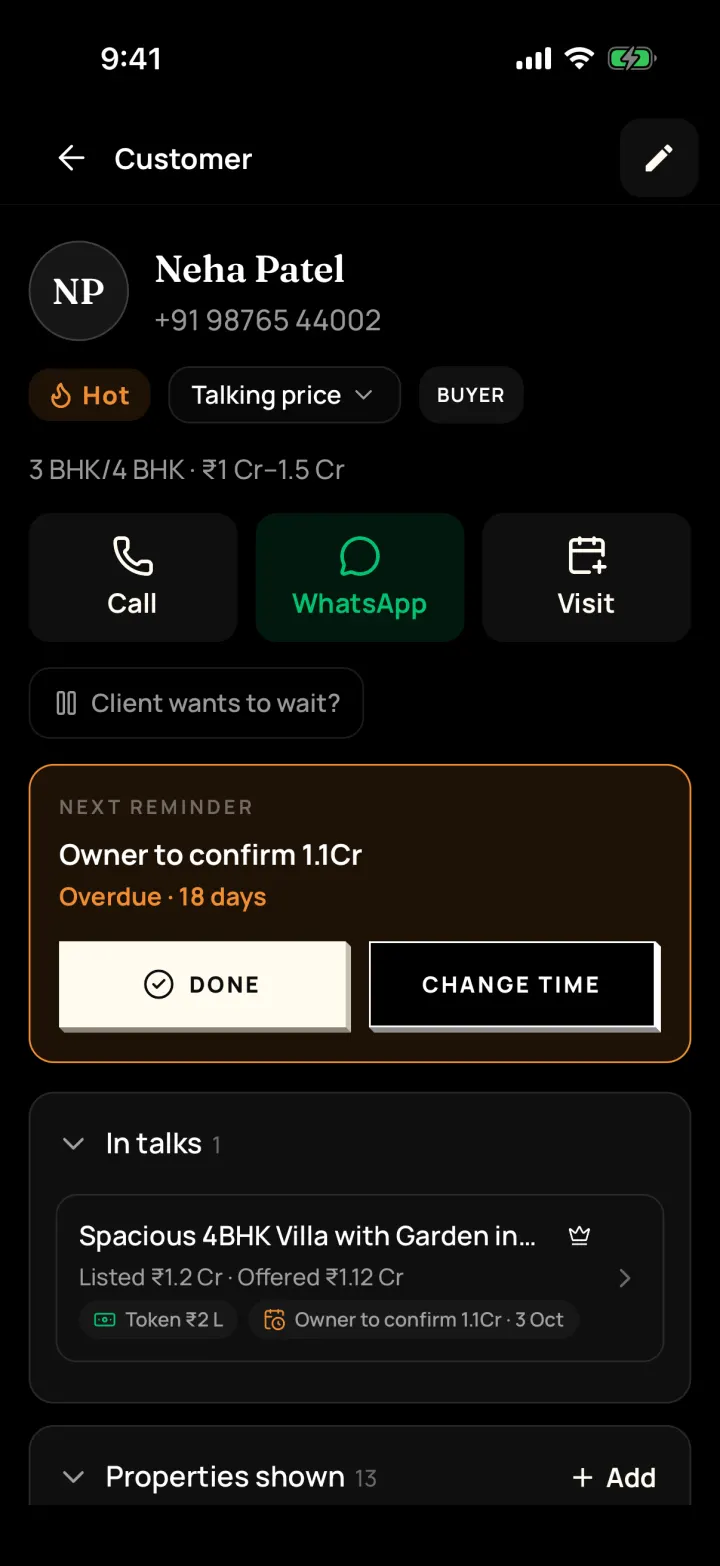
    Yes. Tap Call or WhatsApp on any customer. After a call, the app asks what happened and can set the next reminder for you.

    Why it matters: After a busy day you can't remember who you called or what they said.

    How it works

    • Uses your phone's normal dialer and your own WhatsApp
    • After the call: We talked, No answer, Busy or Call later, with a short note
    • Ready messages fill in the customer's name, property and link for you
    • Every call and message is saved in the customer's history
    Step-by-step guide and FAQs
    A buyer's page in DreamToBuy with Hot and Talking price tags, Call, WhatsApp and Visit buttons, the next reminder and a deal in talks with offer and token
    Customer page

    Reminders and call-backs

    Will the app remind me to call customers back?

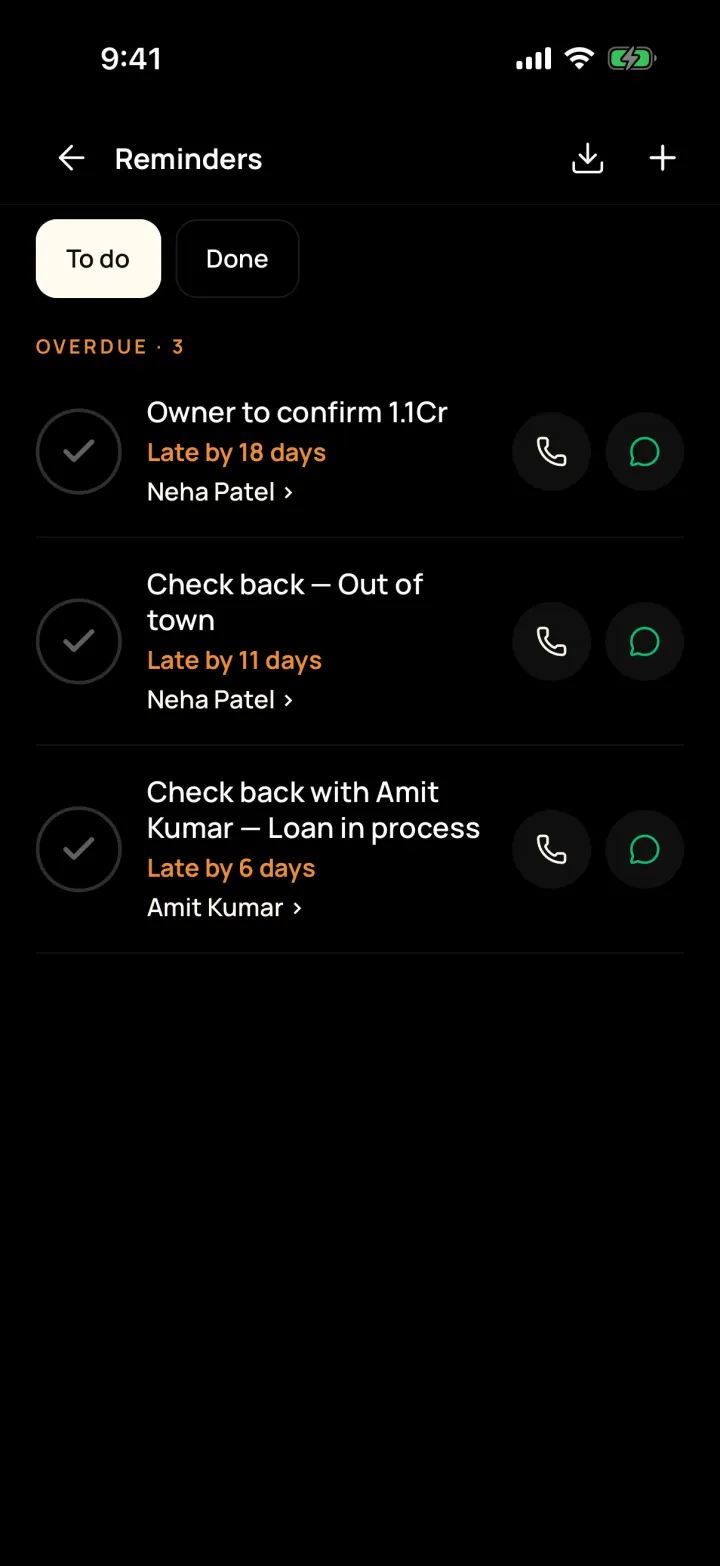
    Yes. Set a reminder in two taps and your phone alerts you when it's due. Missed ones stay at the top until you finish them.

    Why it matters: A buyer asked you to call back on Friday, you forgot, and they bought through someone else.

    How it works

    • Overdue, Today and Later lists, with Call, WhatsApp and Mark done
    • Reminder types: call, meeting, documents and payment
    • Phone notifications for reminders, visits and new hot customers
    Step-by-step guide and FAQs
    Reminders screen in DreamToBuy with overdue call-backs, each with Call and WhatsApp buttons
    Reminders

    Site visits

    How do I plan and track site visits?

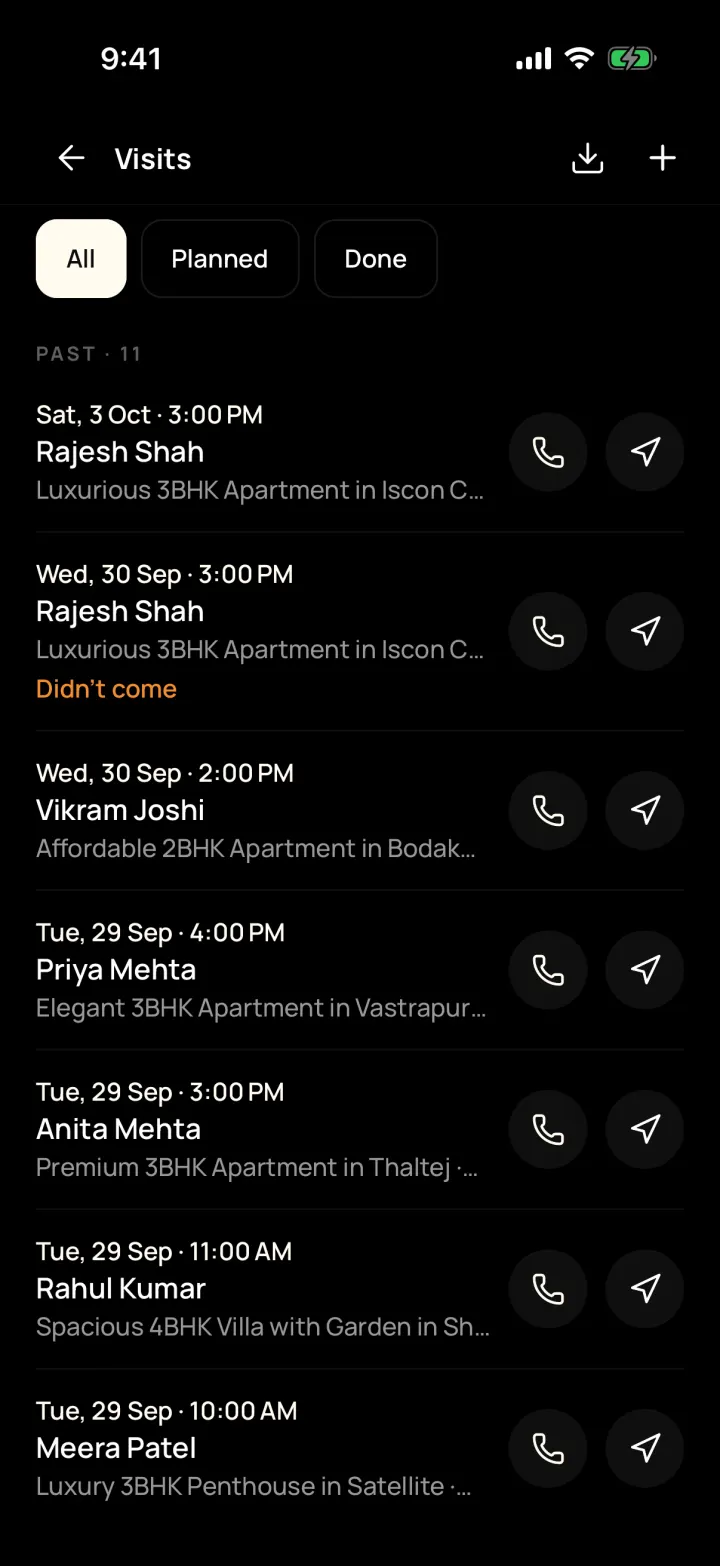
    Book a visit for a customer and property, give it to a team member and get reminded before it starts. Afterwards, note if the buyer liked it.

    Why it matters: Visits are planned on calls and in memory, and nobody knows what the buyer thought.

    How it works

    • All, Planned and Done lists, with Call and Directions on every visit
    • Mark done, "Customer didn't come" or "Visit cancelled" with a reason
    • Record interested, maybe or not interested for each property shown
    Step-by-step guide and FAQs
    Site visits list in DreamToBuy with date, time, customer and property, and Call and Directions buttons
    Site visits

    Properties with photos and videos

    What kind of properties can I add?

    Flats, bungalows, shops, offices, godowns, factories and land, for sale, for rent or both. Add photos, videos and floor plans straight from your phone.

    Why it matters: Property photos are lost in your phone gallery, mixed with personal pictures.

    How it works

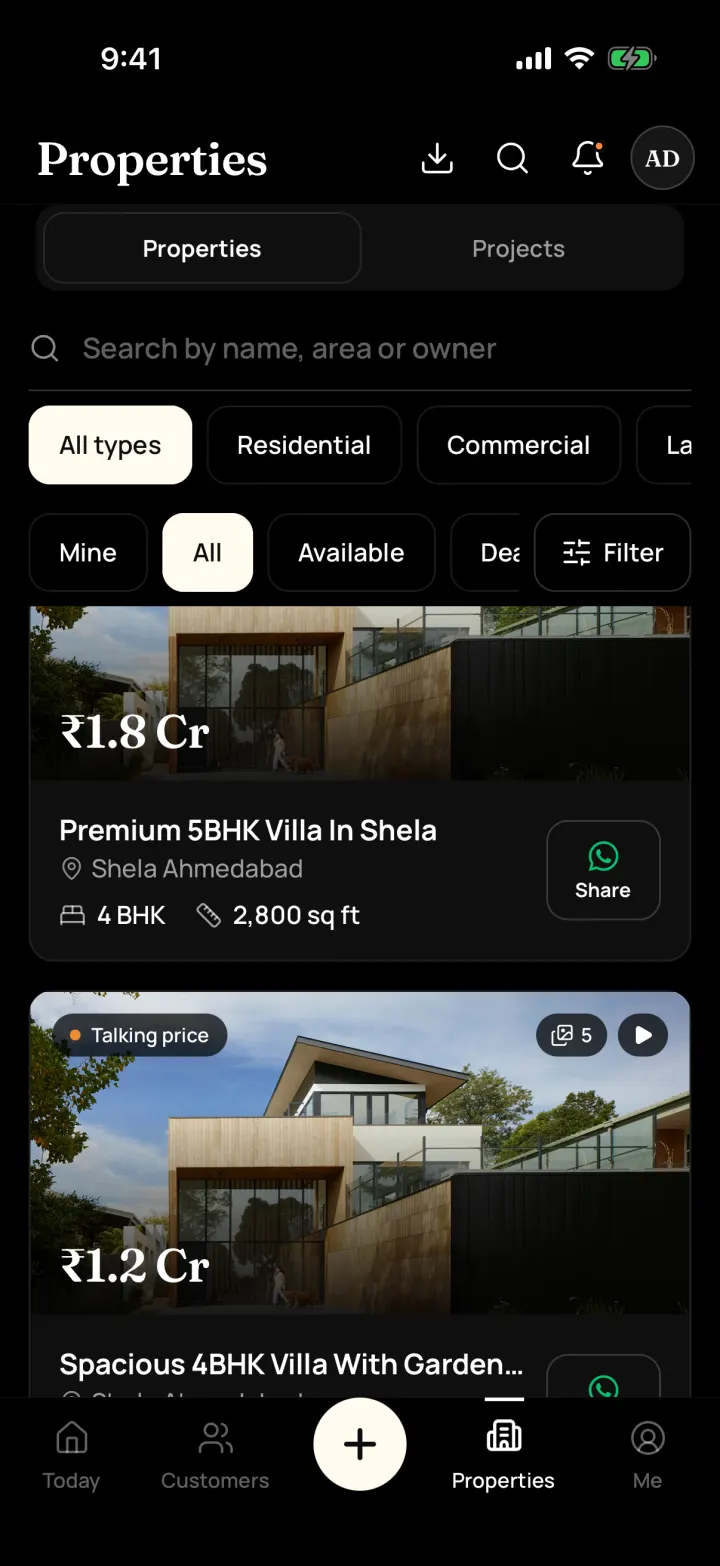
    • Residential, Commercial, Industrial and Land / Plot sections
    • Price or monthly rent and deposit, BHK, size, floor and facing
    • Land sizes in sq yd, vigha, guntha or acre
    • Up to 15 photos and 5 videos per property, plus floor plans
    • Owner details stay inside your team
    Step-by-step guide and FAQs
    Properties list in DreamToBuy with photo, price, BHK, size, status and a WhatsApp Share button on each property
    Properties list

    Share properties on WhatsApp

    How do I share a property with a buyer on WhatsApp?

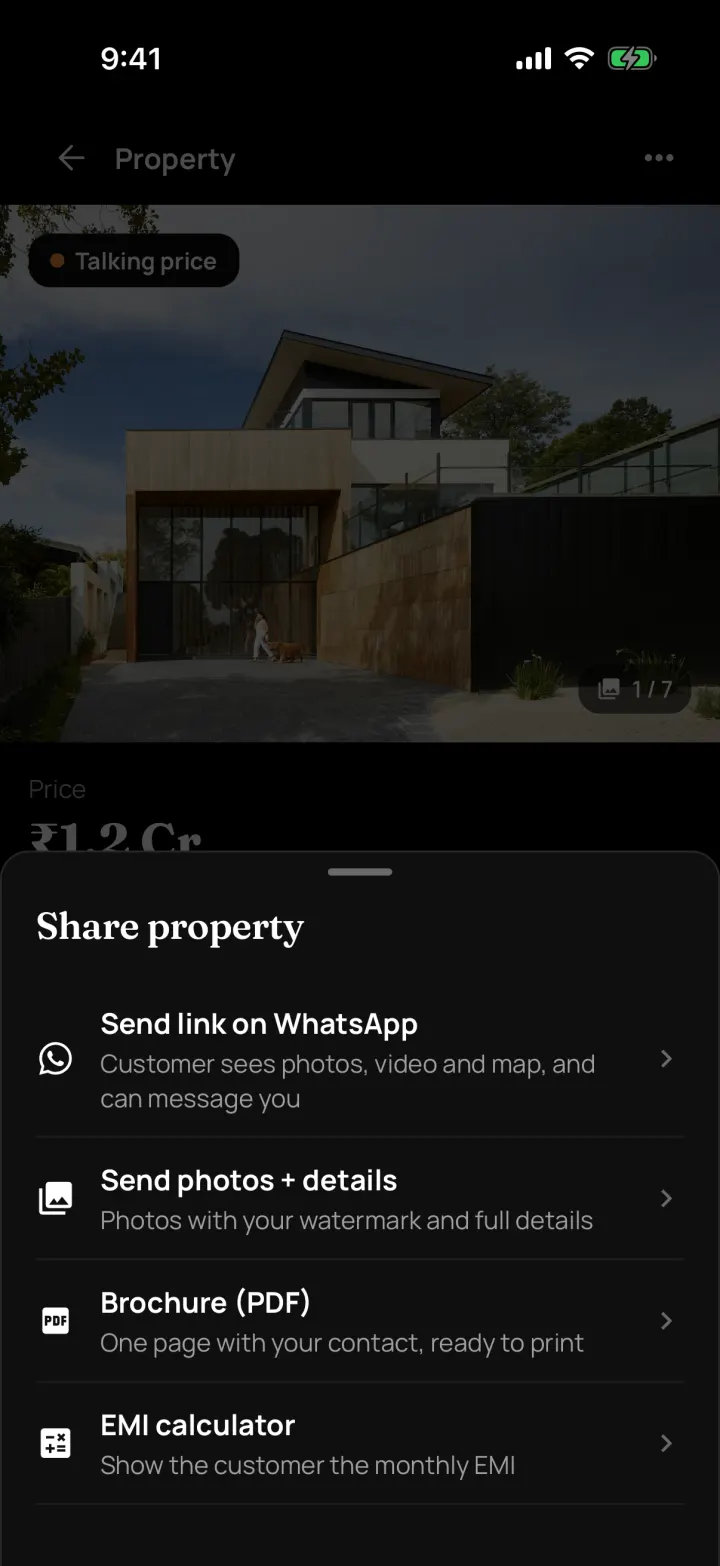
    Open the property and tap Share. Send a link to a property page, send the photos with details, or send a one-page PDF brochure. Buyers never see the owner's details.

    Why it matters: Forwarding photos one by one takes ages, and sometimes they're of the wrong flat.

    How it works

    • Property page link with photos, video, map and EMI. Buyers can send an enquiry without signing up
    • Enquiries from the link come into the app as new customers
    • Photos + details, with your watermark on the photos
    • Brochure (PDF) with your agency's contact, ready to print or send
    Step-by-step guide and FAQs
    Share property options in DreamToBuy: send link on WhatsApp, send photos and details, or a PDF brochure
    Share a property

    My earnings

    Can I track my commission?

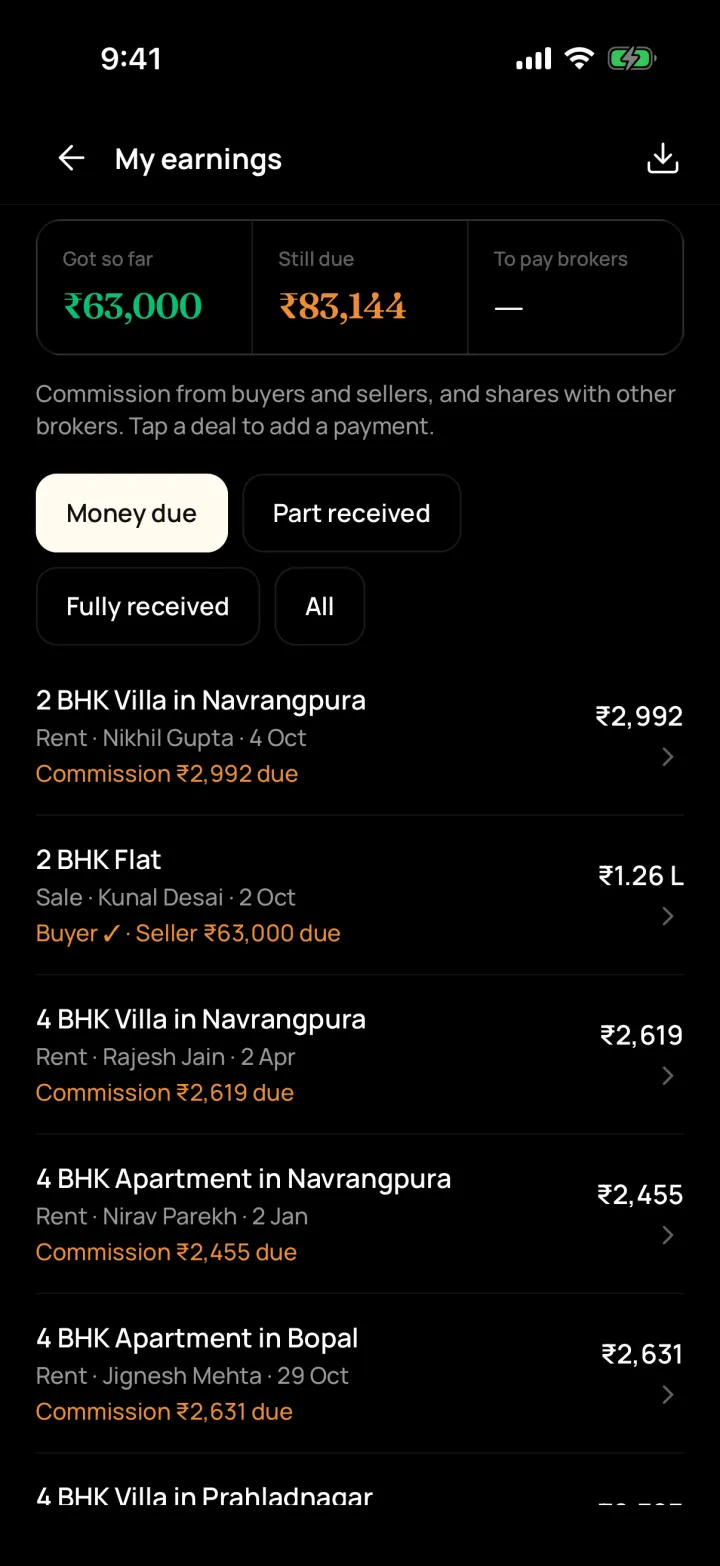
    Yes. Record commission from the buyer and the seller, each payment you receive, and what's still due. Shares with other brokers are worked out for you.

    Why it matters: You know a deal closed but not how much commission is still pending.

    How it works

    • Commission as a % or a fixed amount, from each side
    • Payments by cash, cheque or bank transfer: Got so far / Still due
    • Brokers list with their usual share: who owes whom
    Step-by-step guide and FAQs
    My earnings screen in DreamToBuy showing commission got so far, still due, and each deal's commission
    My earnings

    Your whole team

    Can my team use DreamToBuy, and what can each person see?

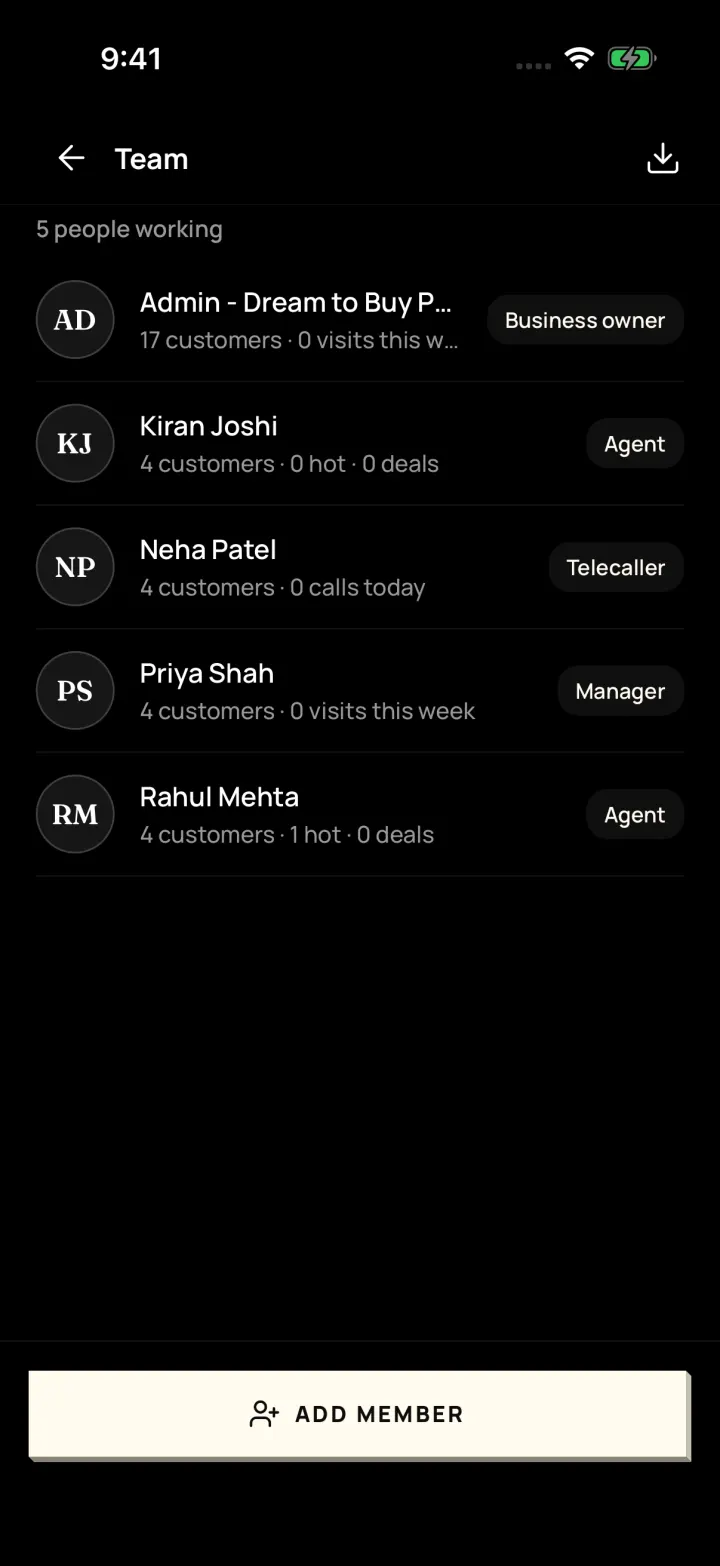
    Yes. Add your managers, agents and telecallers. Each person sees what their role allows, and you can move a customer to someone else in one tap.

    Why it matters: When an agent leaves or is busy, their customers and reminders get lost.

    How it works

    • Roles: Business owner, Manager, Agent, Telecaller
    • Give a customer to someone else, with their reminders
    • Check in / check out attendance with a 30-day history
    • New enquiries can be shared out to the team one by one
    Step-by-step guide and FAQs
    Team screen in DreamToBuy listing each person with their role (Business owner, Manager, Agent, Telecaller) and today's numbers
    Team

    Reports and targets

    How do I see how my agency is doing?

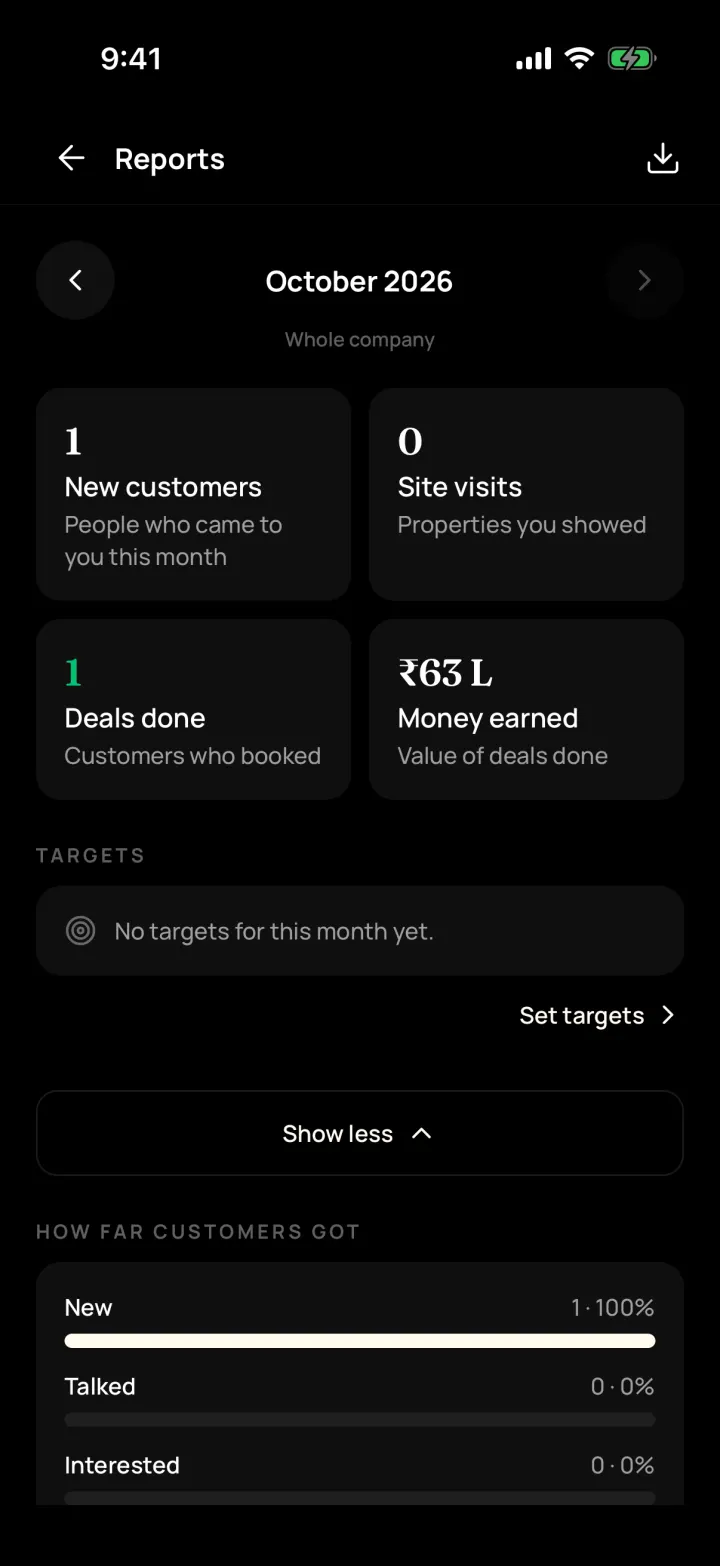
    The monthly report shows new customers, calls, site visits, deals done and money earned. Owners and managers can set monthly targets for each person.

    Why it matters: You only find out at month-end that visits and deals were down.

    How it works

    • Where customers came from and why they said no
    • Team ranking and daily numbers per person
    • Monthly targets set by owners and managers
    Step-by-step guide and FAQs
    Monthly report in DreamToBuy with new customers, site visits, deals done, money earned and how far customers got
    Monthly report

    EMI and land size calculators

    Does it have an EMI calculator?

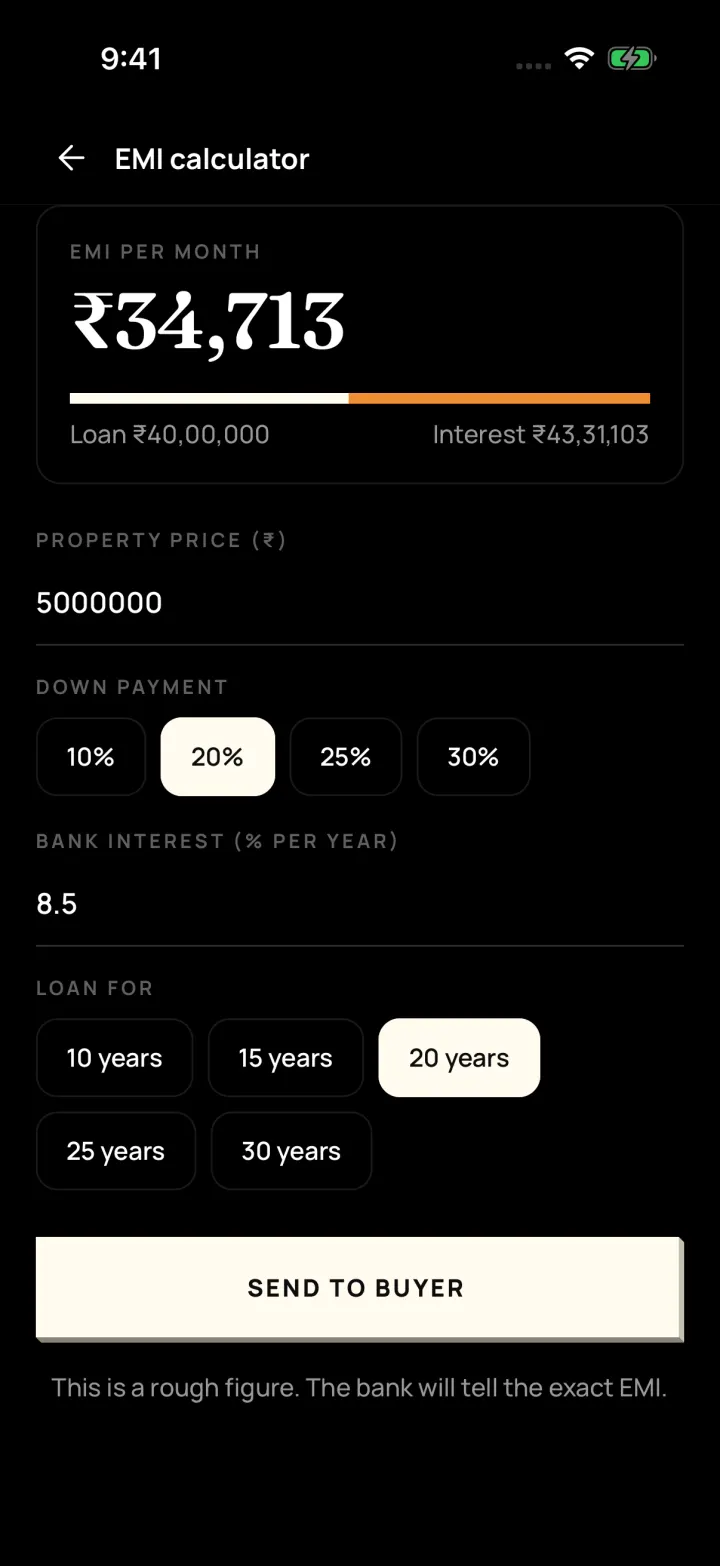
    Yes. Work out the EMI from price, down payment, interest and years, and send it to the buyer. The land calculator converts sq yd, sq ft, vigha, guntha and acre.

    Why it matters: Buyers ask "What will my EMI be?" and you reach for a separate app.

    How it works

    • EMI with "Send to buyer"
    • Land size converter with your local vigha size
    Step-by-step guide and FAQs
    EMI calculator in DreamToBuy with property price, down payment, bank interest and loan years, and a Send to buyer button
    EMI calculator

    English and Gujarati

    Is DreamToBuy available in Gujarati?

    Yes. The whole app works in English or Gujarati (ગુજરાતી). Pick the language on the login screen or change it later from Me.

    Why it matters: Not everyone on your team is comfortable using an app in English.

    How it works

    • Every button and message translated into simple Gujarati
    • Each person can choose their own language
    Step-by-step guide and FAQs
    DreamToBuy Today screen in Gujarati, with the bottom bar and every label translated
    The app in Gujarati

    Matching buyers and properties

    How does DreamToBuy find the right property for a buyer?

    It compares the buyer's budget, BHK, area and must-haves with your properties and shows the best ones with a % match. When you add a property, it shows the buyers who fit.

    Why it matters: A buyer calls and you scroll through listings trying to remember what fits their budget.

    How it works

    • Suggested properties on every buyer, with a % match
    • Matching buyers on every property
    • Mark which properties you showed and what the buyer said
    Step-by-step guide and FAQs

    Deals: from talks to done

    How do I track a deal that's in progress?

    Start talks with one or more buyers on a property, note each offer and the owner's price, record the token and the next step, then mark the deal done.

    Why it matters: Offers, counter-offers and token details live in your head or scattered chats.

    How it works

    • "Offered" and "Owner asks" prices for each buyer in talks
    • Token paid / received and next steps like "Meet for token"
    • Close as "Buyer bought it" or "Tenant took it" with the final price or rent
    Step-by-step guide and FAQs

    Rent agreement renewals

    Does it remind me when a rent agreement is ending?

    Yes. Renewals lists the rent agreements ending soon, with tenant, owner, rent and your earning, so you can call them before someone else does.

    Why it matters: 11-month agreements end quietly and the renewal goes to another broker.

    How it works

    • Agreements ending soon, with days left
    • Tenant, owner, rent, deposit and your earning in one place
    Step-by-step guide and FAQs

    Excel downloads

    Can I download my data to Excel?

    Yes. Owners and managers can download customers, properties, visits, reminders, earnings and reports as Excel (with your logo) or CSV, any time.

    Why it matters: You worry about being locked in, or need a list for your accountant.

    How it works

    • Excel with your logo and colours, or a plain CSV file
    • "Download my data" in Settings
    Step-by-step guide and FAQs

    Phone and computer

    Can I use DreamToBuy on my computer?

    Yes. Log in at app.dreamtobuy.com with the same username and password as the phone app. Anything you add on one shows on the other.

    Why it matters: Typing long property details on a phone is slow when you're at the office.

    How it works

    • Android and iPhone app for the field
    • Web portal for the office, with the same data
    Step-by-step guide and FAQs

    Selling a project? There are builder tools too.

    If you sell flats or shops in a new project, we can switch on builder tools for your company. Brokers who don't need them never see them, so the app stays simple.

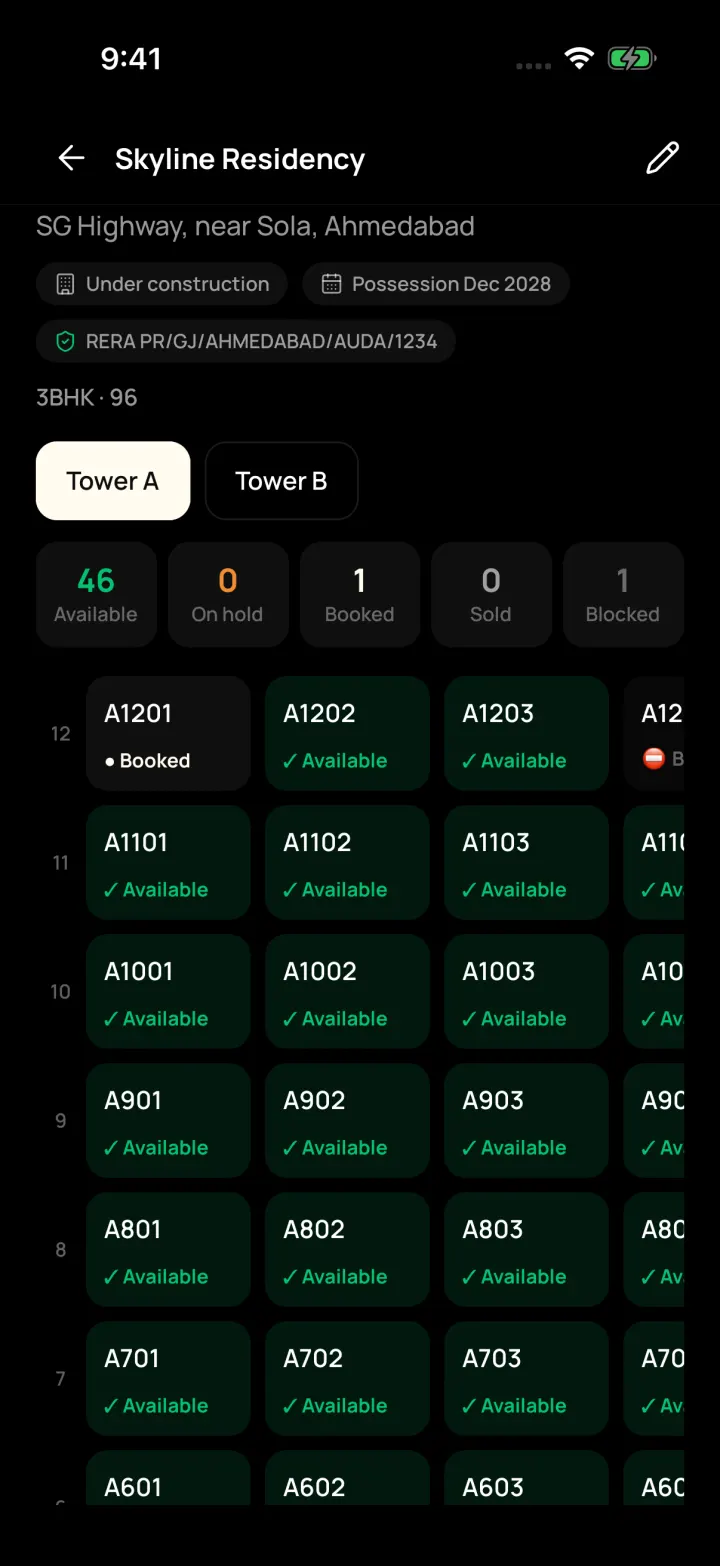
    • Projects with towers and a floor-by-floor unit grid: Available, On hold, Booked, Sold
    • Hold a unit for a customer for 4 hours, 24 hours or 3 days
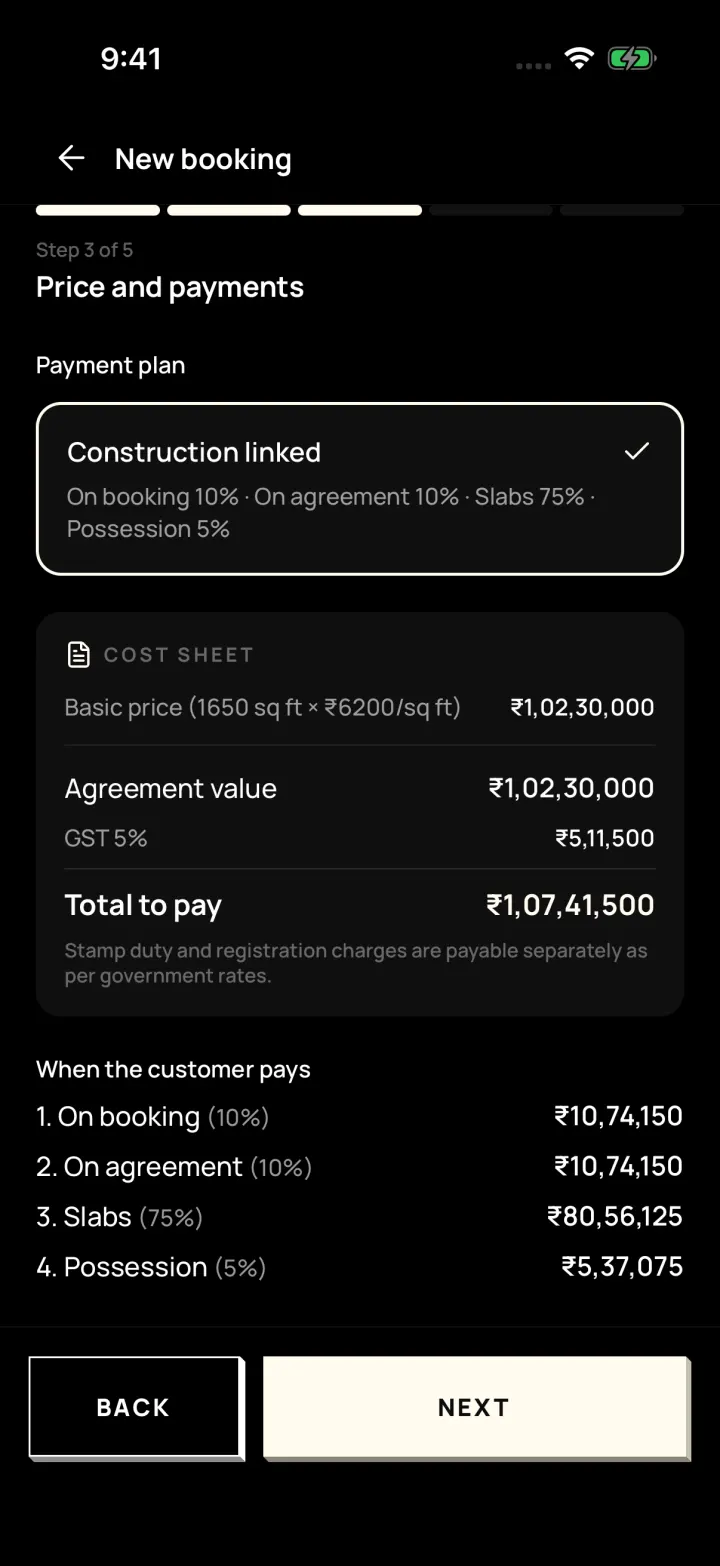
    • Step-by-step booking: customer, unit, price and payment plan, documents, confirm
    • Cost sheet, allotment letter, payment reminders and receipts
    Builder project in DreamToBuy: a floor-by-floor unit grid for Tower A with available, booked and blocked units
    Project unit grid
    New booking step 3 of 5 in DreamToBuy: construction-linked payment plan, cost sheet with GST and amounts due at each stage
    Booking: price and payments
    FAQ

    Frequently asked questions

    Simple answers about the app, pricing and getting started. Anything else? Call or WhatsApp us.

    DreamToBuy is a mobile app for real estate brokers to manage customers, properties, site visits and deals in one place. It is made in Ahmedabad for brokers across Gujarat, works in English and Gujarati, and costs ₹999 a month.

    It is for real estate brokers and agencies of any size, from a single broker to a team with managers, agents and telecallers. Builders can also switch on tools for projects, unit bookings and payments.

    DreamToBuy costs ₹999 per month for your agency, with unlimited properties and customers. There is no long-term contract and you can cancel any time.

    Yes. The whole app works in English and Gujarati (ગુજરાતી). Each person can choose their language on the login screen and change it later.

    Open the property and tap Share. You can send a link to a property page with photos, video, map and EMI, send the photos with details, or send a one-page PDF brochure. Buyers can enquire from the link, and the enquiry comes into your app as a new customer.

    No. The property page and brochure you share never show the owner's name or phone number. Owner details stay inside your team.

    It compares the buyer's budget, BHK, preferred areas and must-haves with your properties and shows the best ones with a % match. When you add a new property, it shows the buyers who fit it.

    Yes. After a call the app asks what happened and lets you set the next reminder in one tap. Your phone alerts you when a reminder or site visit is due, and missed ones stay on your Today screen.

    Yes. You can add managers, agents and telecallers. Each role sees what it needs, owners and managers see team reports, and you can move a customer to another person along with their reminders.

    Yes. Log in at app.dreamtobuy.com with the same username and password as the phone app. Everything stays in sync between your phone and computer.

    Yes. Owners and managers can download customers, properties, visits, reminders, earnings and reports as Excel or CSV files at any time. Your data stays yours.

    Yes. Each agency's data is kept separate, and only people you add to your team can log in to see your customers and properties. You can stop a team member's login at any time.

    Call or WhatsApp us on +91-8320090637. We show you a free demo, set up your agency account and help you add your team. After that, you add your own team members from the app.

    The Android and iPhone apps are being released to the Play Store and App Store. Until then, contact us and we will help you install it, or use the web portal at app.dreamtobuy.com.

    See it working on your own properties

    Get a free demo of DreamToBuy. We'll set up your agency and walk your team through the app.